In my last blog, I discussed working on my animated titles. It was so much fun! Now I'm moving on into the thick of it. Editing is such a tedious process. I can make it through if I lock in and focus. I'm using capcut to edit again because it is what I am most used to. The software is beginner-friendly and free to use. I've downloaded the desktop version so I can use it on my laptop. Here is my plan: First, I have to sift through the footage to find what I want to keep. I filmed a lot of extra footage to make sure that I had enough. However, this adds a lot of time when it comes to choosing and organizing what I want to use. But, I can figure this out. It's not the first time I've done this! After I finish that, I have to cut and order the clips. This is my least favorite part, because of how long it takes. It's also very precise and takes a lot of focus. After I finish that, I can work on the fun part! I can add a custom filter over all the clips to give them...
When it came to this project, I made the deliberate choice to go solo. The reason behind it is that I have a very specific vision in mind. I didn't want to impose my vision on others and make things complicated. Plus, dealing with all the logistics of a group didn't seem very appealing. At one point, I did consider joining a group because teamwork can be beneficial. However, upon further thought, I concluded that I'd be more effective working independently. I do recognize the value of collaboration in general. But for this particular project, I genuinely believe that a solo approach is the way to go. It's essential to acknowledge that this project is substantial and challenging. Despite the workload, I believe that working alone will minimize potential hurdles. Going solo allows me to maintain full control over the project's direction and execution. It ensures that my vision is realized without any compromises. Sometimes, group dynamics can lead to creative clashes ...
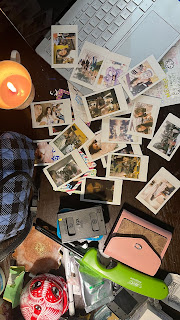
The software I am using for my video is CapCut. I choose it because it is free and easy to use. Another plus of CapCut is that is good for editing on your phone. This makes it very convenient to edit quickly and whenever I have the free time. The first thing I did was sketch out the general idea I wanted for each main frame in the video. I know I wanted to include a section for Polaroids. I wanted to highlight that section because I think its a cute and more natural way of including all my pictures into the video. I did a rough color of the whole storyboard to get an idea of the color story in the video. When I make videos, I always focus on the colors. Colors have such a big role in the feeling and message portrayed. So, with my three key takeaways in mind (confidence, creativity, and loyalty) I choose yellow, orange, and purple as my main colors. After storyboarding, I moved over to my editing software and uploaded all the media I was planning to use onto it. The first thing I d...

Comments
Post a Comment